
Video for coaches
Coaching video, sorted.
You film every session. VidTrace finds those clips in your camera roll, lets you sort them with a swipe, and turns them into a library of every athlete's progress.
For iPhone · Free trial, then a monthly or yearly subscription
How it works
From camera roll to coaching notes
No importing, no uploading. VidTrace works with the videos already on your iPhone.
01 · Sort
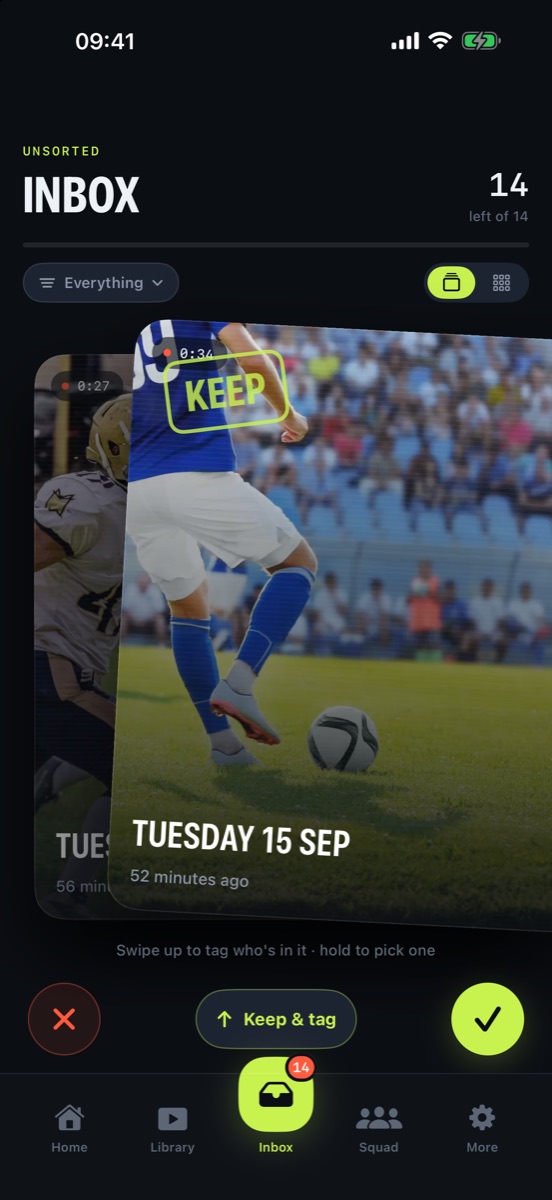
Swipe through your clips
New videos land in your Inbox, newest first. Swipe right to keep a clip, left to skip it. Skipped clips stay untouched in Photos.
- Start from the last 30 days, a date, or an album
- Hide screen recordings and clips under 3 seconds
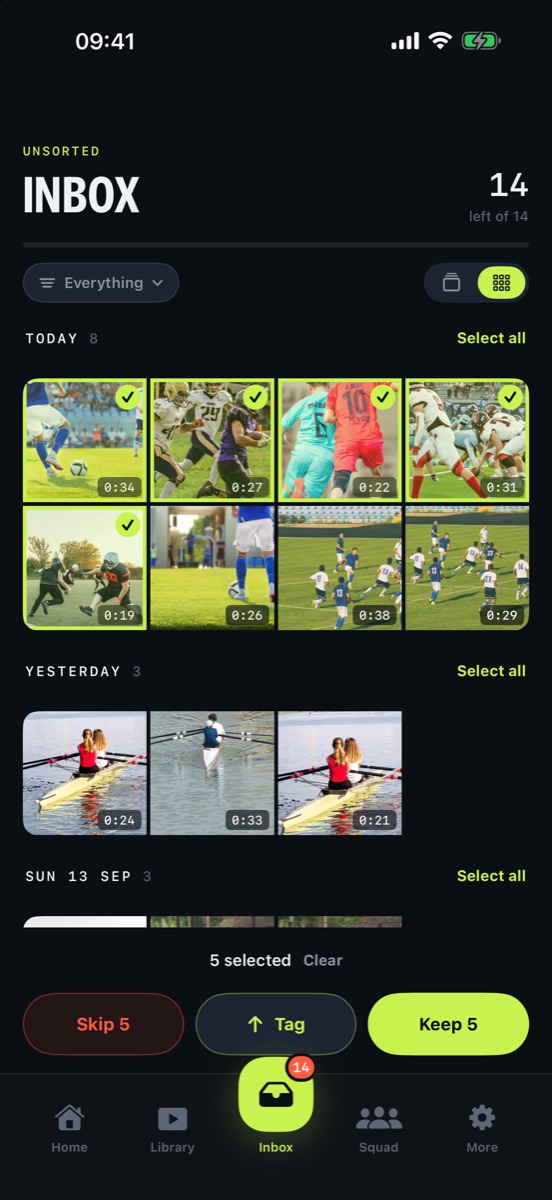
- Grid view to keep or skip a whole session at once
02 · Tag
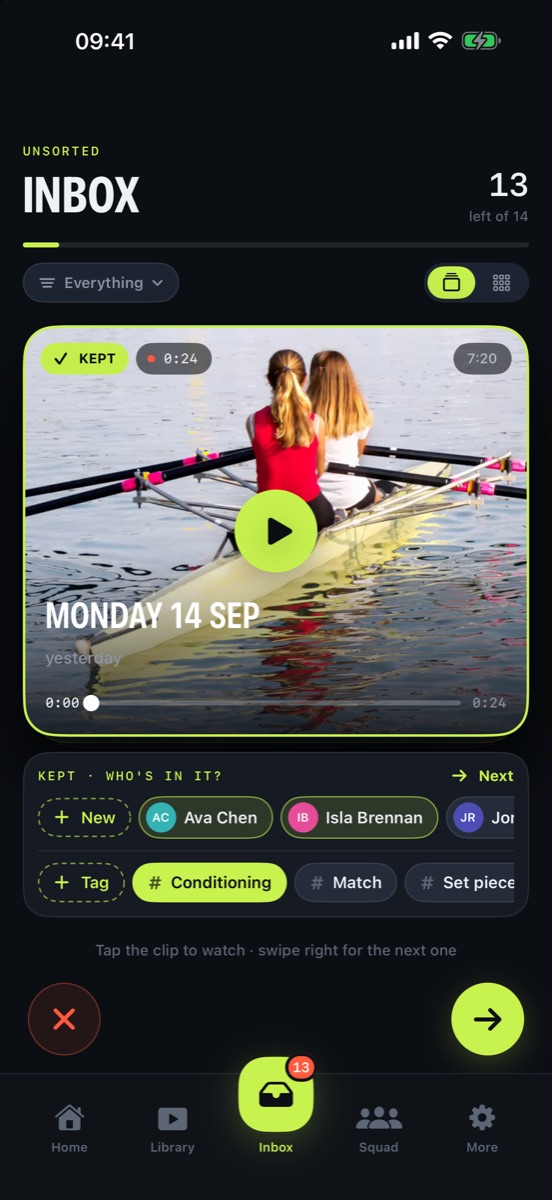
Say who's in it
Swipe up on a clip to tag athletes, groups and labels like Match, Training or Gym while it's fresh. Add a new athlete without leaving the clip.
03 · Mark
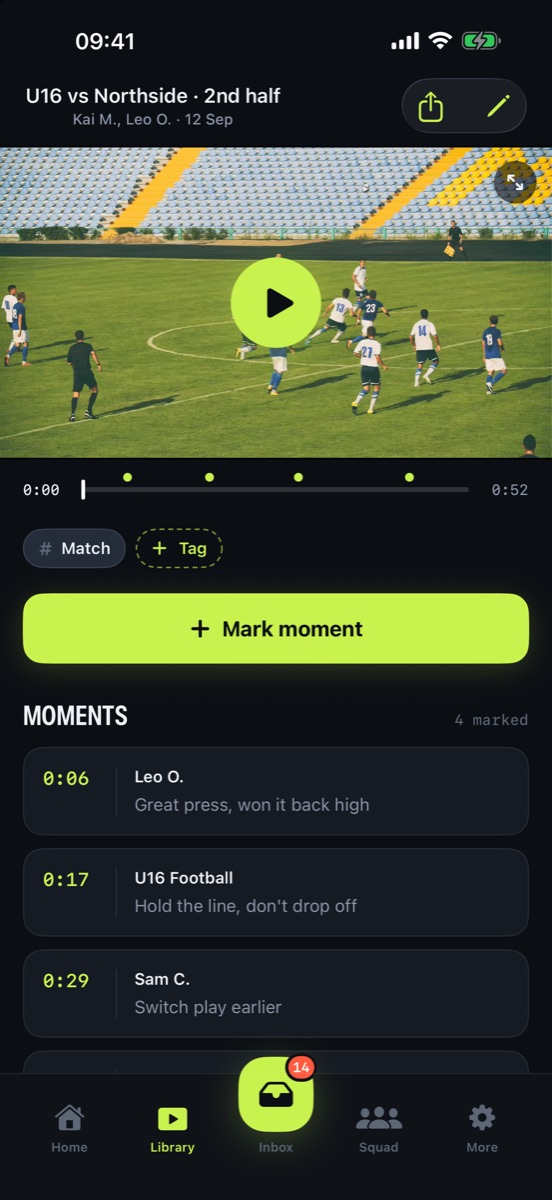
Pin the moments that matter
Scrub to the moment, type a note and pick the athlete. Tap any moment later to jump straight to it, or share the clip with your notes on screen.
04 · Track
See every athlete's progress
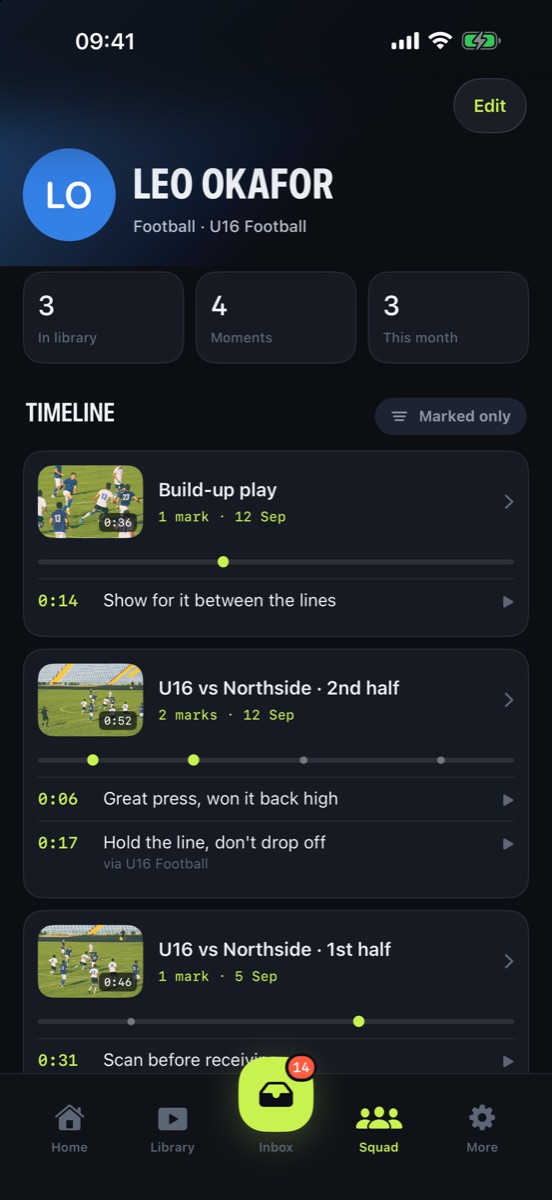
Each athlete gets a timeline of their clips and the notes you've made on them, including group moments. Filter your squad by group or tag.
Private by design
Your footage stays on your iPhone
No accounts
No sign-up and no login. Open the app and start sorting.
No uploads
Your videos, athletes and notes are stored on your device, not on our servers.
No tracking
No ads, no analytics, no third-party trackers. Read the privacy policy.
Start your free trial
Film it. Swipe it. Coach it.
Try VidTrace free, then choose monthly or yearly. Cancel any time in your iPhone settings.
Download on the App Store